

Play GTA 6 in Bed:
Complete Comfort Setup
Play longer. Stay comfortable. Win more.
Everything you need to enjoy PC or console games — including long GTA 6 sessions — while lying down in real comfort. From overbed desks and monitor arms to pillows, wireless gear and cable management.
Why a Proper Bed Setup Matters for GTA 6
GTA 6 will invite long sessions. Playing hunched over a laptop or with a TV at a bad angle leads to neck pain, numb arms and early quit. A real bed gaming setup keeps the screen at eye level, supports your back, cuts cable chaos and lets you stay immersed for hours.
This guide covers 18 practical pieces — from the desk and monitor mount to pillows, wireless controls, hubs and ambient light — so you can build a setup that actually works for all-night (or all-afternoon) play.
What’s in This Setup
- Adjustable Bed Gaming Desk
- Adjustable Monitor Arm
- Lap Desk
- Wireless Gaming Controller
- Wireless Keyboard & Mouse
- Gaming Pillow / Backrest
- Wedge Pillow
- Adjustable Bed Frame
- Long Charging Cable / Hub
- Wireless Headset
- Headphone Stand
- Monitor / TV Wall Mount
- Small Side Table
- USB Hub / Powered Hub
- Cable Management Clips
- Cooling Fan
- Soft Gaming Blanket
- Ambient LED Lighting
Things That Make Playing Games in Bed Possible
Build from the essentials (screen + support + controls), then add comfort and organization.
Adjustable Bed Gaming Desk
Overbed rolling desk for monitor, laptop & mouse

Holds your monitor, laptop, keyboard and mouse securely over the bed. Height and angle adjust so the screen sits at a proper viewing height while you recline.
Adjustable Monitor Arm
Perfect screen position in front of you

Positions the display exactly where you need it — height, tilt and reach. Critical for avoiding neck strain during long GTA sessions.
Lap Desk
Lightweight alternative to a full overbed desk

Great if you don’t want a full-size overbed desk. Stable surface for a laptop, controller or small keyboard while you stay reclined.
Wireless Gaming Controller
Most comfortable way to play lying down

No cables pulling at your hands. A solid wireless controller is the most natural way to play console or PC games from bed for hours.
Wireless Keyboard & Mouse
Precision for PC games from bed
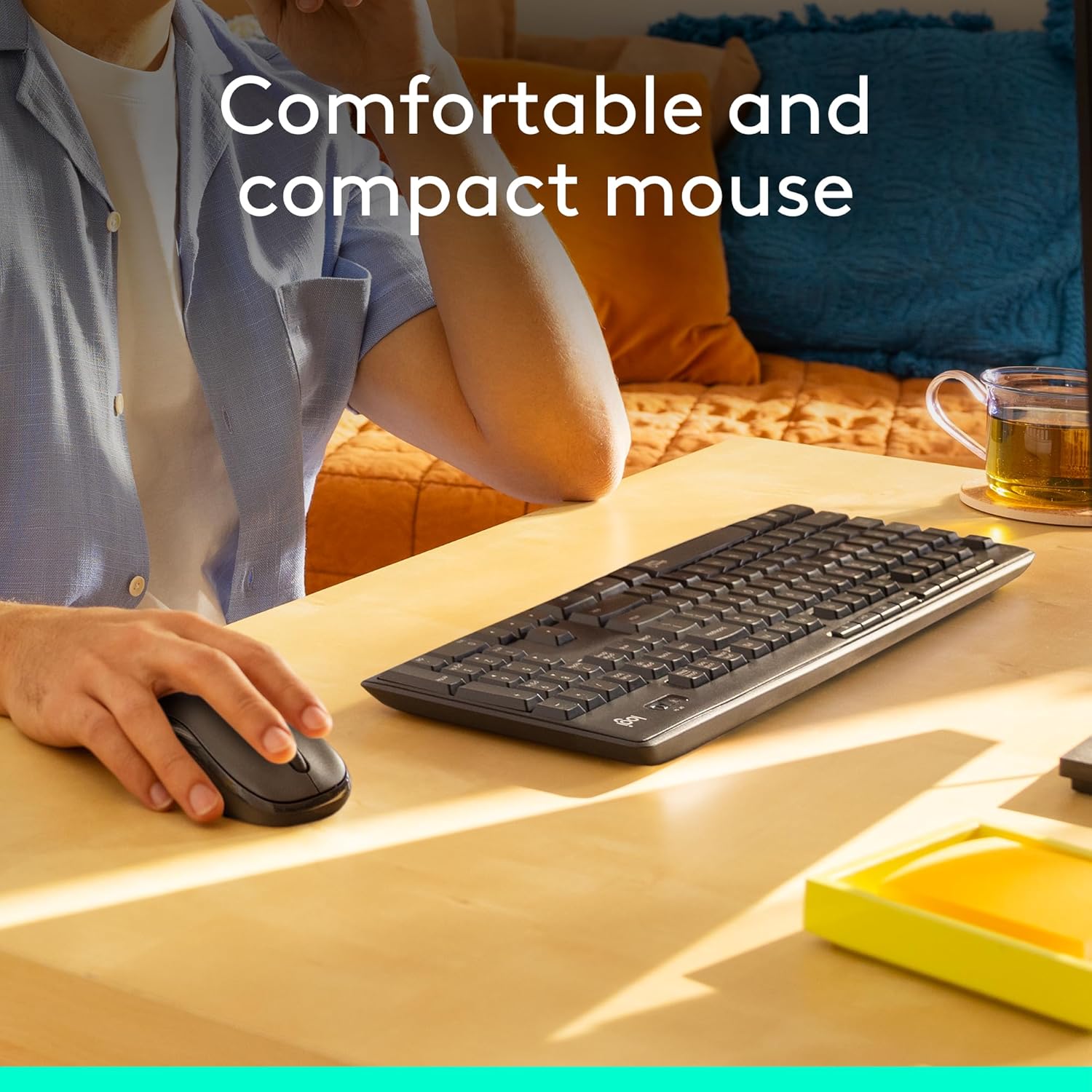
When a game needs keyboard and mouse, wireless keeps the setup clean. Pair with a lap desk or overbed desk for a stable surface.
Gaming Pillow / Backrest
Supports back and neck for long sessions

Proper lumbar and upper-back support stops the ache that usually ends bed sessions early. One of the highest-impact comfort upgrades.
Wedge Pillow
Elevates upper body, reduces neck & back strain

Lifts your torso to a better angle for looking at the screen without craning your neck. Works alone or with a gaming backrest.
Adjustable Bed Frame
Raise torso and legs electronically

Lets you raise head and legs for the ideal recline. The premium option if you want true zero-strain positioning for marathon sessions.
Long Charging Cable / Hub
Devices charged and within easy reach

Long cables or a multi-port hub keep controller, phone and headset charging without stretching or climbing out of bed.
Wireless Headset
No tangled cables — immersive audio

Full audio without a cable to the console or PC. Essential for GTA’s world audio and for not waking the house.
Headphone Stand / Bedside Hook
Headset organized and always within reach

Keeps the headset off the floor and ready. Small detail that keeps the bed area tidy and the gear easy to grab.
Monitor / TV Wall Mount
Saves space, easy screen adjustment

Mounts the display on the wall or headboard area so you can tilt and angle without a desk. Clean look and solid viewing position.
Small Side Table
Snacks, drinks, controller & accessories

A narrow bedside table keeps drinks, phone and spare controller off the mattress and within arm’s reach.
USB Hub / Powered Hub
Connect peripherals without reaching behind the PC
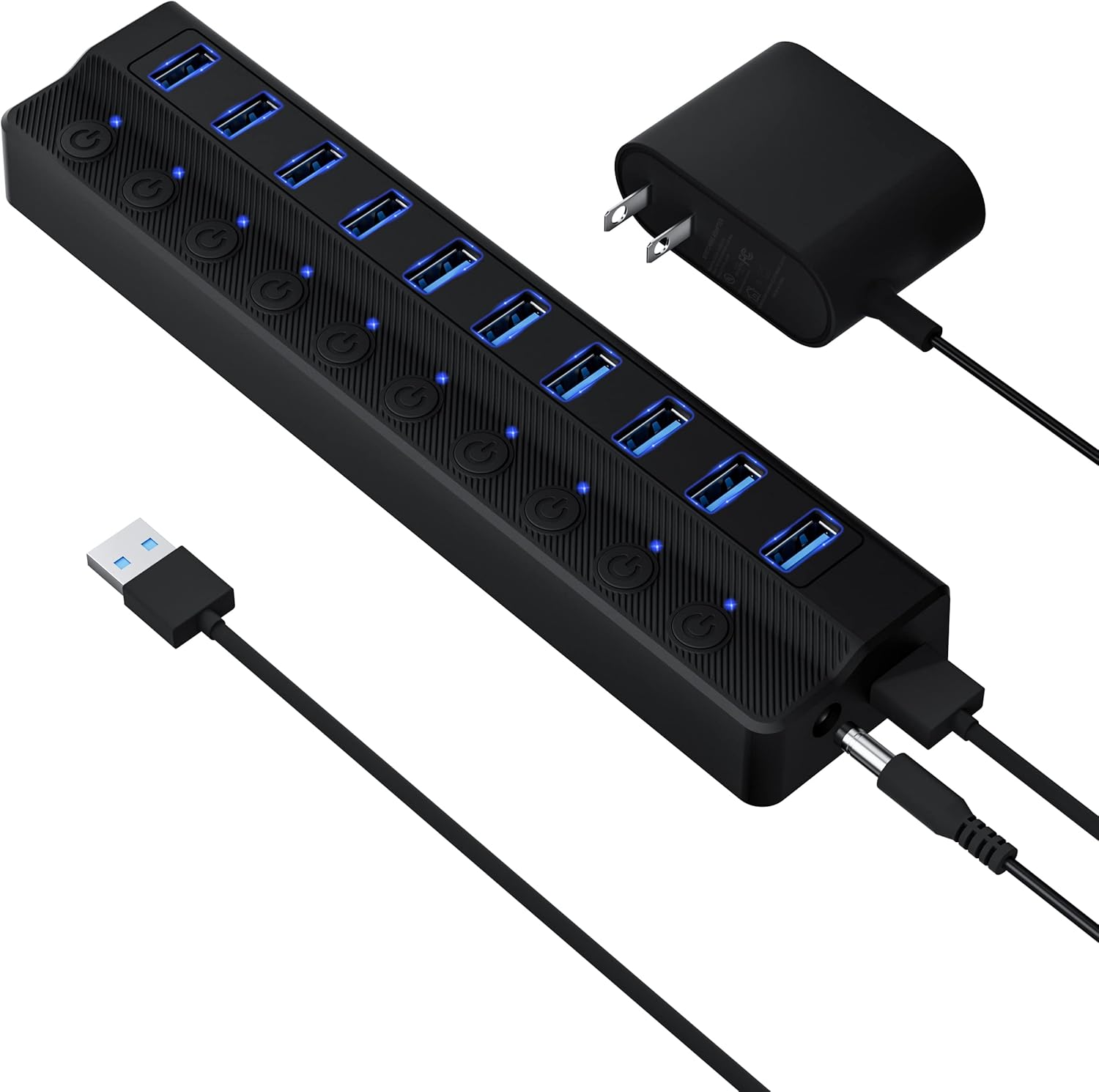
Brings USB ports closer to the bed so you can plug in headset dongle, drive or charger without crawling to the console or PC.
Cable Management Clips
Cables neat, safe and out of the way

Routes power and HDMI so nothing hangs over the bed or gets pulled when you move. Cheap and high impact for a clean setup.
Cooling Fan (Laptop)
Keeps laptop or devices cool during long sessions

Laptops on beds or lap desks overheat easily. A simple cooling pad keeps temps down so performance stays stable in GTA and other heavy games.
Soft Gaming Blanket
Warm and comfortable without overheating

Lightweight coverage so you stay warm without a heavy duvet that makes you sleepy or overheated mid-mission.
Ambient LED Lighting
Gaming atmosphere + less eye strain

Soft bias or strip lighting behind the screen reduces contrast strain in a dark room and makes the whole setup feel like a proper gaming zone.
Best Combination for GTA 6 in Bed
- Adjustable screen (monitor arm or wall mount)
- Proper back & neck support (gaming pillow + wedge)
- Wireless controller & headset
- Comfortable desk or lap desk
- Clean cable management
- Good lighting & ventilation (LED + cooling fan if using a laptop)
You don’t need all 18 on day one — start with screen position, support and wireless controls.
The Perfect Bed Gaming Experience
Play Longer
Comfort reduces fatigue so you can game more
Better Focus
Distraction-free setup improves gameplay
More Comfort
Ergonomic support keeps you pain-free
Save Time
Everything within reach for non-stop gaming
Play to Win
Stay comfortable, stay ahead of the game
“Set up right. Play better. Enjoy every moment.”
— Long sessions without the painThis guide contains affiliate links. Purchases may earn a commission at no extra cost to you.
Not affiliated with Rockstar Games. Build a setup that fits your space and play style.
Drop your signal
No Blogger chrome. Just you and the thread.